to discuss and learn more about how to replace or repair iphone parts.

Showing posts with label iPhone installation Error. Show all posts

Sunday, November 4, 2018

Dark Corner Issue

for Dark Corner. this usually happens when trying to connect LCD cables. but there's a misalignment. misalignment means not all pins got fitted in. so for some backlight parts it would be ok to turn on. but some might not.

in order to solve this, you need to remove all the cables and also must remove the battery clip to let it power off "completely". ( capacitor issue if you know some electronics)

and then connect them again. then it should work.

please check below video


Share:

Wednesday, September 20, 2017

How to Avoid damaging New iPhone LCD & Screen - by Sintron

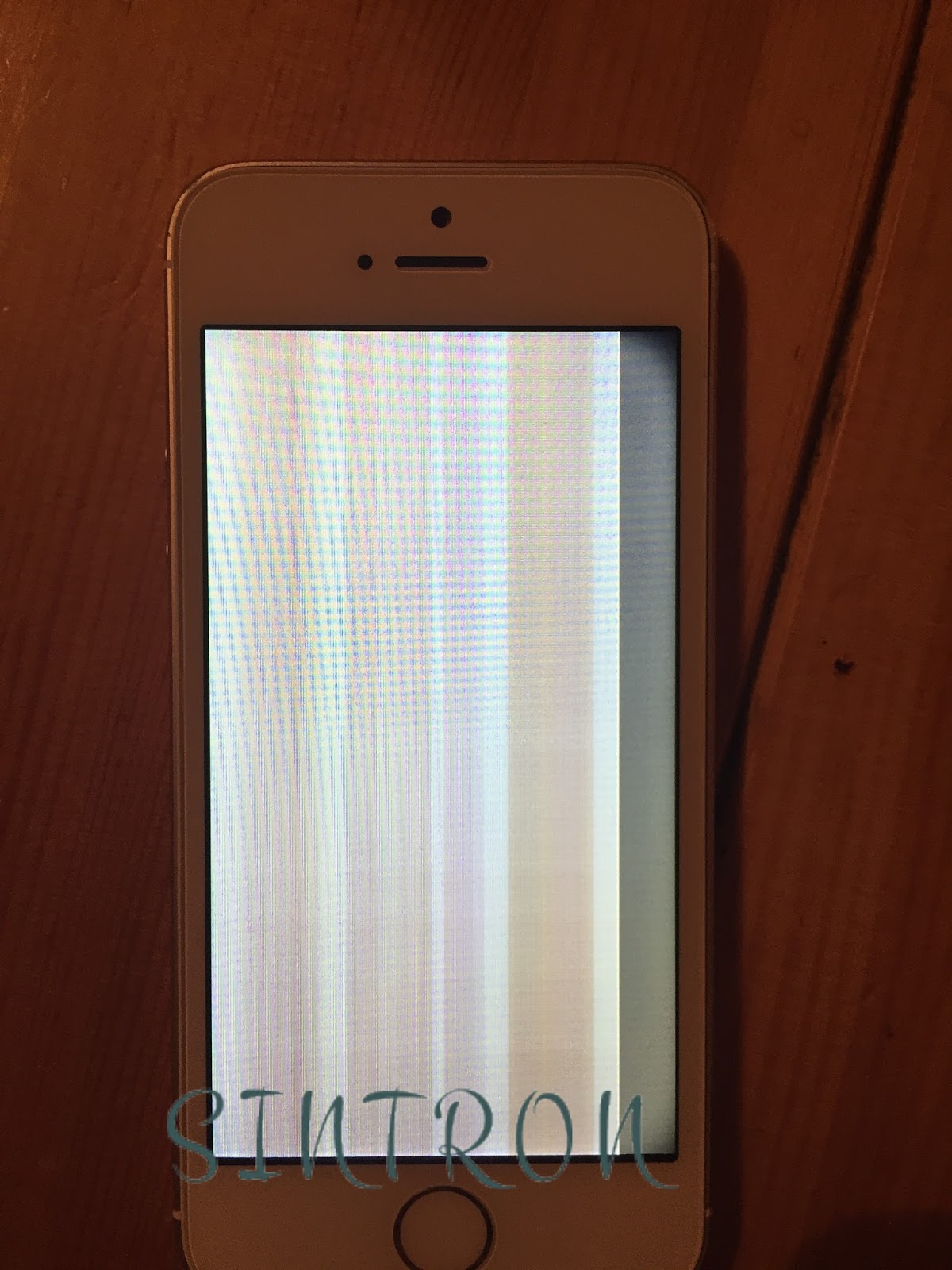
after we sold over 10,000+ LCD & Screen .we had collected all the returns back from our customers .below are the pictures we were testing once again for the returned ones .we would analyze every one of them .and to make sure we understand every customer's concern and to have better quality & customer experience in the future .


we found that if the LCD & Screen didn't get cracked during logistics delivery . and you found item can't work after Warranty Check . over 90% possibility it is related with the issue of "Flex cable" or the "Plug"


1. so what are the problems with the "Flex cable" ?


for iPhone flex cable , it's very fragile and easy to get damaged . so the first thing you need to keep in mind is . NEVER EVER "PULL THE CABLE"


 below are the pictures of the "flex cable" and another is the "IC" for LCD & Screen .

When you got Sintron iPhone LCD & Screen .make sure you don't pull the cable at all .the cable is connecting the IC with LCD & Screen .once you pull it .it's possible to get detached from the Screen .there are many pins .the most possible situation is ,only a few pins got detached .so you would see the LCD is showing correct display .while some parts of touch screen might not work perfectly .this is possible because some pins (which is in charge of date transferring) already got detached . so only Parts of data can be transferred to communicate with IC .

2.How about the Plug ?

for new beginner ( no offense ,but sometimes expert too ) ,when you put back the plug .( see how to avoid damaging logic board ) ,try to notice not to have misalignment error and please check "how to remove and connect the cable notice" ,

the key point is , after you plug it in correctly and power on your iPhone .don't touch or move the cable at all . because the cable is sending date all the time even you don't use the screen . if you touch the cable even a little bit . it's possible to cause the touch screen not function correctly . so when you see the touch function is not good .don't judge too fast .please try to double check if the cable is fixed good in position .


Share:

Saturday, September 16, 2017

How to Avoid damaging your iPhone logic board

no matter what model of iPhone you are trying to DIY replacement .or what parts you are replacing ( most of time LCD & Screen ) .the first thing you need to do is to power it off .and that's just the basic step .(check Sintron iPhone instruction guide)

the important thing you need to know is ,even you already power it off .there's still some voltage on your iPhone .so any short circuit or contact during installation process is also possible to cause instant high voltage .which is possible to burn your logic board .and your iPhone would be useless at all .

as we might know .if this is your first time to replace the LCD & Screen .it's possible that you need to sacrifice a few LCD & Screens before you can get familiar with it (i mean for those they don't check our guide and blog carefully ,if you did check our every points ,there's a big chance you can get it done from beginning ) .Sacrificing a few LCD & Screen are find .they are not expensive .but if you burn your logic board .you would loss a lot !

so to be safe .please must remove the battery plug and also put an insulator between the plug and your logic board .then usually in this case . your iPhone would be very safe !


Share:

Thursday, August 24, 2017

iPhone LCD & Screen replacement installation problem - case 3 LCD got Cracked.

For iPhone LCD & Screen replacement ,Even you are professional shop for customers .sometimes it's possible to meet cracked inside situation .you can see below pictures. 
the common situation for cracked LCD inside is you can always find "BLACK BAR OR AREA".

iphone cracked LCD

This situation happens the most from the logistics problem .logistic company / post office might not care enough for the parcel .so there's some external force applied during the delivery process.
( if in this case .please contact Sintron for support and get a new one )

however .there are also some cases are that new beginner uses the wrong screws an then penetrate the LCD .so got it cracked. 

if you know how to tear off the layer of back light .


you can see the cracked area as picture below .

if this happens before the "final installation" .it's possible damaged during delivery .please kindly contact us .we will solve this soon for you .

Share:

Wednesday, August 23, 2017

iPhone LCD & Screen replacement installation error - case 2 Touch Screen not working

for LCD touch screen problem ,sometimes it is also possible the plug is not connected correctly (misalignment) ,this would cause the touch screen to be not sensitive ,not working at all .or even generate heats to iPhone itself.

please check below video for the situation:

if this happens ,try this trick to see if it works :

"When reconnecting the digitizer cable, do not press the center of the connector. Press one end of the connector, then press the opposite end. Pressing in the center of the connector can bend the
component and cause digitizer damage."

because most of time . you don't even know that there's misalignment .

find below link for more info :


iPhone screen replacement -- case 5 connecting & removing connector error


Share:

Tuesday, August 22, 2017

iPhone LCD & Screen replacement installation error - case 1 Bright Spot

When replacing iPhone LCD & Screen ,if you see an area that is brighter than other area .and this area just happens to be nearby the earpiece , camera ,or sensors with screws .most of time you would think ,I got a faulty one from Sintron iPhone Screen .Well...please hold on a second....

the reason is also possible that when you reinstall the earpiece , camera or screws .you didn't put them back correctly (or wrong screws problem ).so there's something behind that area is Pushing the Backlight of the Screen .then the situation would be similar to the picture shown below.


iPhone 6 Screen replacement


in this case ,please try to remove the possible parts such as earpiece ,camera ,home button etc...and test again to see if it works now.


Share:

Translate

Sintron

Search This Blog

Powered by Blogger.

Blog Archive

Hot Post

Fully Assembled -- Sintron iPhone LCD & Screen replacement

What is the difference Between Fully Assembled and normal iPhone LCD&Screen  ? Traditionally ,if your iPhone LCD/Screen go...